Localization
Multi-language messages in one workflow, without owning the editor stack
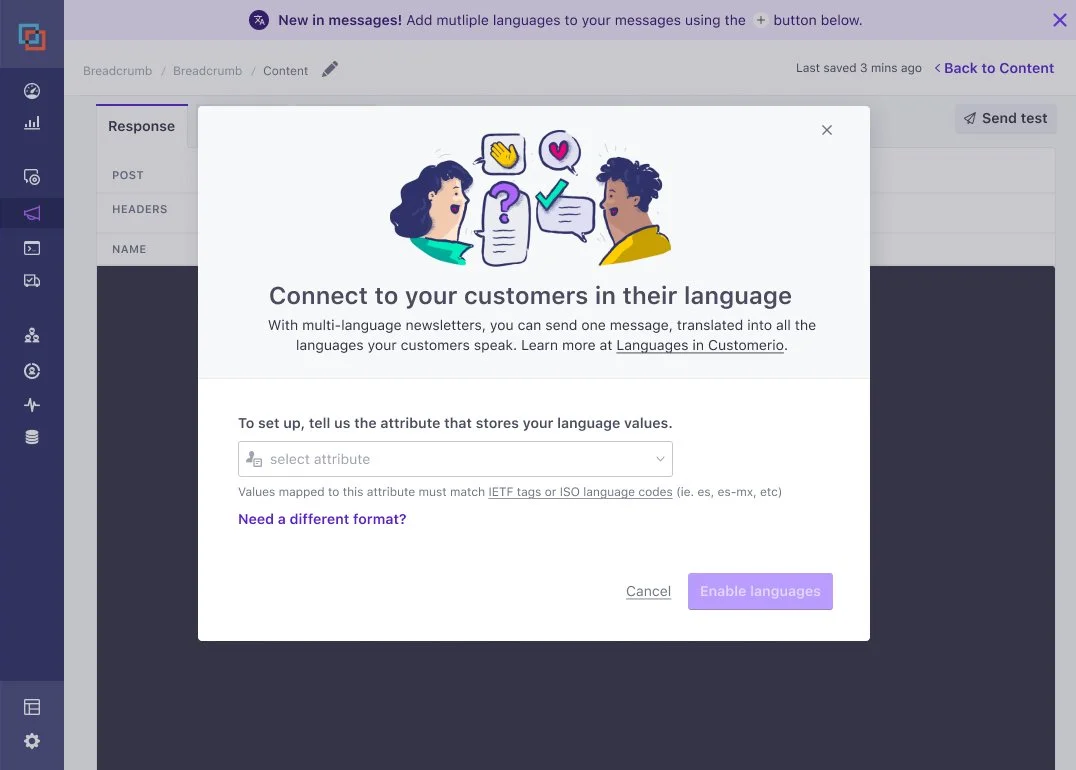
By indicating which attribute aligns with a language, users can create multiple variations of a message for each language. Using ISO codes, recipients get the language based on their profile data.
The challenge
We did not have a language feature in our messages. If people wanted to localize their content, they’d have to create a separate message for each language or add conditions to their content. They’d also have to create branches on their workflows, which made workflows really complex.
On the technical side, we did not own all of our editors and had iframed in some third party plugins, so we were limited in what we could do with the actual content.
Vision
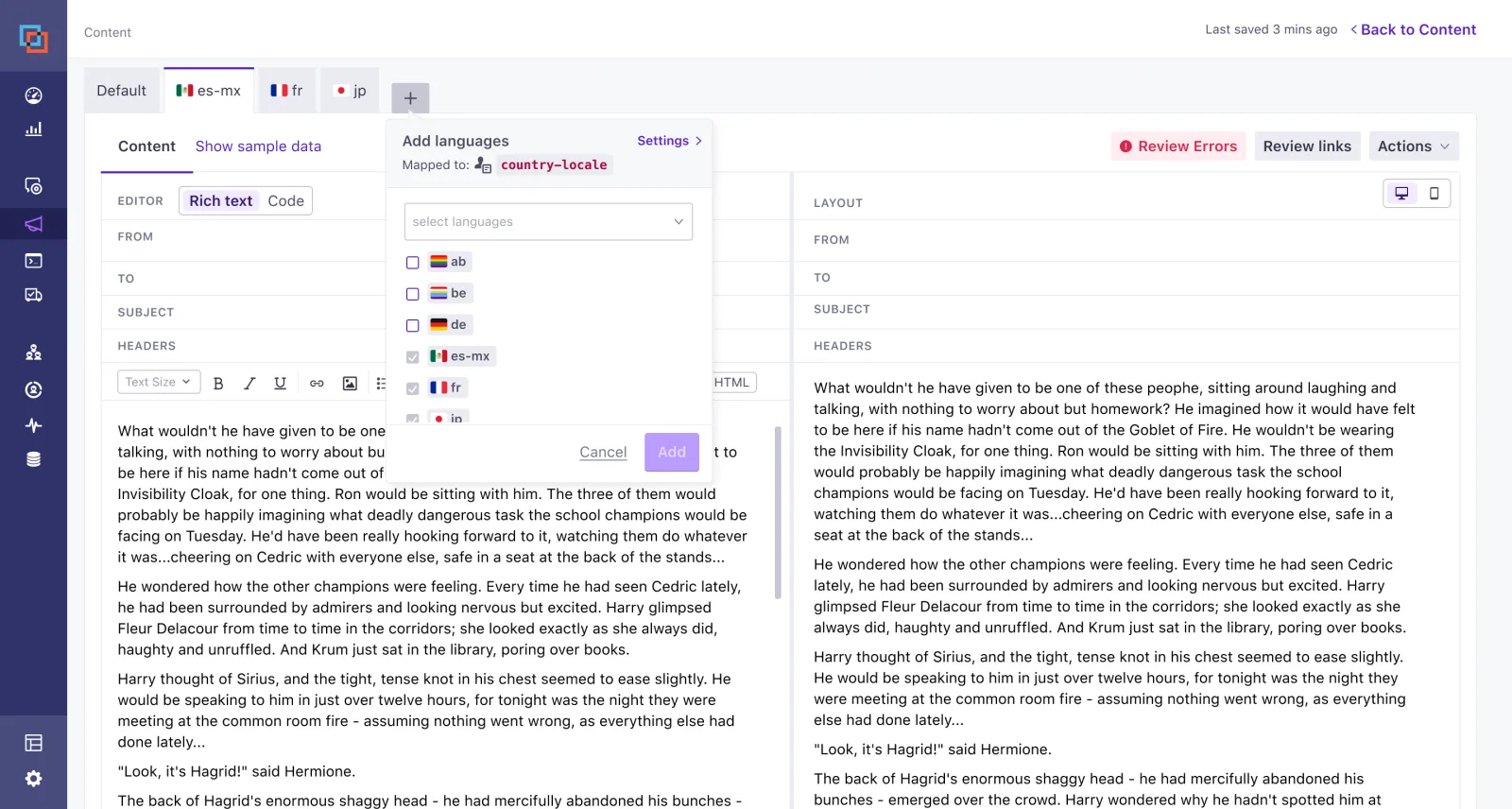
Create a message, choose to localize it, and add all the languages you need. To the user, these messages all appear within one main default message, and they can toggle through each variation. On metrics, users can see how each language performed as well as the message as a whole.
What I accomplished
Research on how customers tackle localization today, plus localization tools and features for patterns and best practices.
Ideation through prototyping.
A final proposal that was implemented as a complete tool in the editor, letting you define your language settings without leaving for workspace settings, choose all the languages you want to add to the message, edit and manage tabbed content for each language, and see metrics for the message overall and by each language.
Result
Most customers found the solution suitable and better than the experience before. We also learned quickly how we could improve this beyond single attributes and ISO codes, which has helped us evaluate how we’d tackle localization now that we own our own editor in Design Studio.
A few years later, we were able to easily add localization into Design Studio, along with more functionality, like AI translations and re-syncing translations.
Design system impacts
From this work, I created a new select menu that allowed us to select multiple items and see a list of the items below in the menu. This let people check off languages they needed, then see the list below.
I also added a new tag style that included the ability to have a flag icon inside the tag, and to easily dismiss the tag if you wanted to de-select.